Preschool Games For Toddlers
Toy Tap LLPEducational
4.744.00 Reviews
- Version
- 5.0.0
- Installs
- 5.00M
- Age Rating
- Everyone
Screenshots
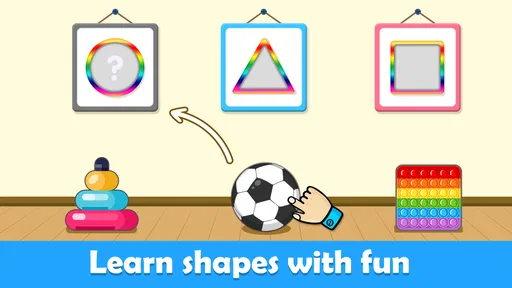
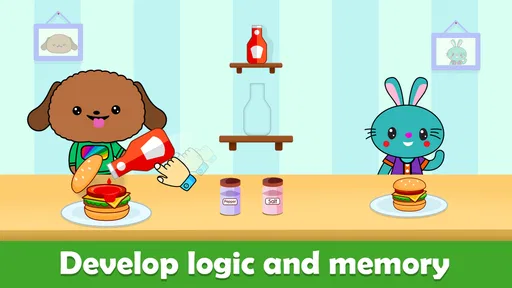
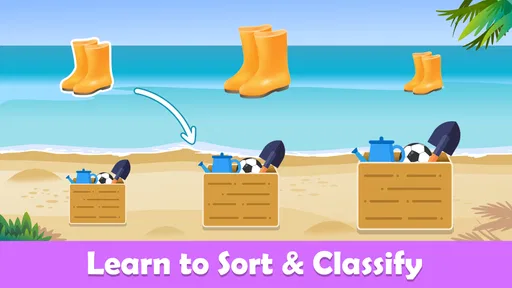
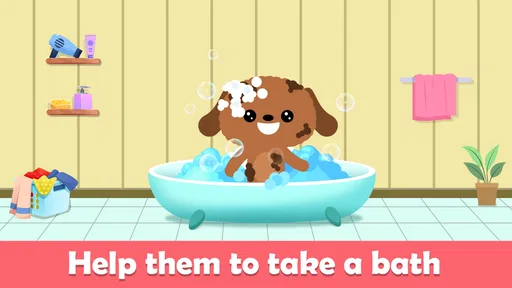
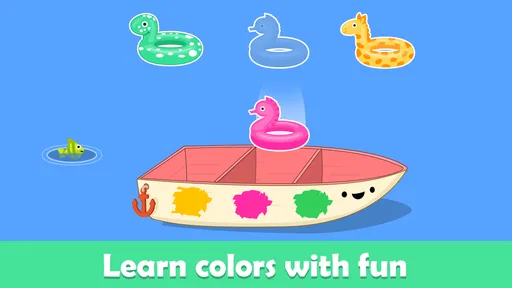
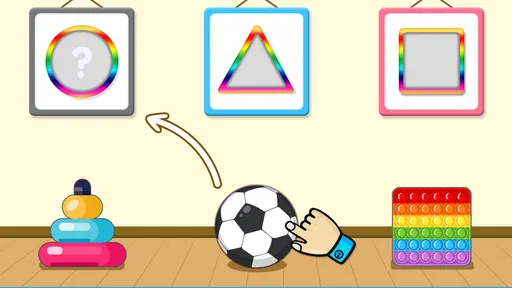
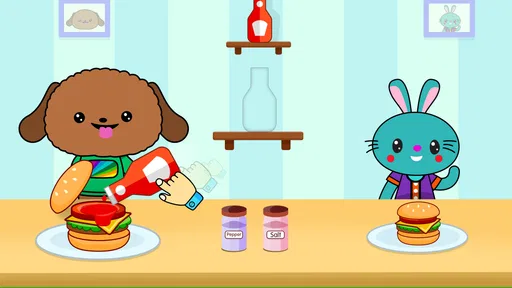
Our Review of Preschool Games For Toddlers
 Analysis by Appyee
When I first opened Preschool Games For Toddlers, I understood the appeal almost immediately: it is designed to turn short bursts of screen time into simple learning practice for young children. The presentation is approachable, the activities are aimed at preschoolers, and the free entry point makes it easy for a parent to try without making a commitment. My first impression was positive, but the more important question is whether it still deserves a place on a child’s device after the first week of curiosity has passed.
This is an educational game from Toy Tap LLP, intended for children in the Everyone age group. It is free to install, with optional purchases priced from $2.99 to $4.99 per item. The app has reached over 5 million installs and holds a 4.7 average from around 6.5 thousand ratings, which suggests that many families find its basic approach useful. I would still treat those figures as a starting point rather than a substitute for checking how your own child responds to the activities.
What the first week feels like
The first few sessions are where the game is strongest. A toddler can approach it without needing to understand complicated menus or rules, and the short activity format suits children who are still developing the patience for longer lessons. I found that this matters more than a large amount of content. A preschool child is more likely to return to an activity that can be understood quickly than to a technically richer game that requires repeated explanations from an adult.
I would introduce it during a calm moment rather than handing over the device in the middle of a rushed morning. Sitting beside the child for the first session helps reveal which activities make sense to them and which ones lead to random tapping. That distinction is important: a child may appear engaged while simply reacting to colors, sounds, or movement without absorbing the learning goal.
The best early use is a short, focused turn. I would let a child complete a small selection of activities, then put the device away before attention drops. This creates a clearer routine than leaving the game available indefinitely. In my experience, preschool learning apps work better when the adult decides when the session begins and ends, while the child gets some freedom inside the activity itself.
The game’s age positioning is sensible for families looking for introductory practice rather than advanced academic instruction. It is not the kind of product I would use to replace conversation, drawing, physical play, books, or hands-on counting. Its value is as a compact supplement. A child can use it while waiting at an appointment, during a quiet afternoon, or when a parent needs a brief, contained activity.
One practical tip is to connect the on-screen activity to something in the room. If the child works with colors, ask them to find objects with the same color afterward. If an activity involves recognition or matching, continue the idea with toys or household items. That simple follow-up prevents the game from becoming an isolated tapping exercise and gives the child a chance to show whether they understood the concept away from the screen.
Parents should also expect differences between children. One toddler may enjoy repeating an activity several times, while another may lose interest quickly or need an adult to explain what to do. That does not automatically mean the app is failing. It may indicate that the child needs a slower introduction, a shorter session, or a different kind of learning material. The free installation makes that trial relatively easy, although optional purchases mean adults should remain involved when the child is navigating the app.
Why the novelty works
The first-week appeal comes from immediacy. Young children generally respond well when an action produces an obvious result, and a game format can make practice feel less like a formal lesson. The child receives a clear reason to continue, while the parent gets an activity that is easier to start than preparing a full worksheet or lesson.
That convenience is also the first warning sign. Novelty can make almost any child-focused app seem more effective than it is. During the first few days, I would pay attention to whether the child begins to recognize the task and make deliberate choices, or whether they are only chasing the next visual response. The former suggests useful practice; the latter suggests that the game may be functioning mainly as entertainment.
Another useful test is whether the child can explain what they were doing. Preschoolers will not always describe a lesson clearly, but even a simple answer such as “I matched the same ones” shows more understanding than silent repetition. I would use that observation to decide whether to continue, not just whether the child asks to play again.
What remains useful after the first month
The long-term value of a preschool game depends less on how exciting the opening session is and more on whether it fits naturally into family routines. I see this app working best as a small recurring tool: a few minutes after breakfast, a quiet activity before a nap, or a controlled option during travel. It is less convincing as a daily substitute for a broader preschool curriculum.
For month-to-month use, variety matters. If a child can revisit activities at different levels of attention, the game has a better chance of staying relevant. If every session feels identical, the child may memorize the interaction rather than develop a transferable skill. I would occasionally ask the child to complete the activity without immediate help, then switch to an offline version of the same idea. This reveals whether the app is supporting learning or merely teaching the child how to operate that particular screen.
A useful routine is to rotate the purpose of each session. One day can focus on recognition, another on careful matching, and another on explaining answers aloud. I would not turn this into a formal timetable for a toddler, but a little variation helps prevent passive repetition. It also gives parents a clearer sense of which parts of the game are genuinely useful for their child.
The app is a better fit for families who want an accessible first step into educational games for preschoolers than for parents searching for detailed progress tracking or a structured teaching program. Its strength is low friction. You can open it quickly, let a child try an activity, and decide whether it belongs in the household routine. Its weakness is that the adult may need to supply the structure that a more comprehensive learning platform would provide itself.
I would also compare it with ordinary alternatives before making it a habit. Picture books encourage language and shared attention. Blocks and sorting toys offer physical feedback. Printable activities can be slower but easier to adapt to a child’s exact ability. A dedicated educational app may provide more systematic progression, while this game is likely to feel lighter and easier to use casually. For many families, the right answer is not choosing one option permanently, but using this game for brief practice and keeping hands-on activities as the main learning environment.
Who is most likely to keep using it?
It suits parents of toddlers and preschool children who need a simple activity with an educational purpose, especially when the child is comfortable with touchscreens but not ready for complex instructions. It may also help a child who enjoys repetition and benefits from seeing the same kind of task several times before moving on.
I would be more cautious if your child becomes frustrated by mistakes, has difficulty using a touchscreen accurately, or needs a very specific learning sequence. In those situations, a parent-led activity may be more effective because you can immediately change the explanation, reduce the difficulty, or stop before frustration grows. Children who already find similar preschool games boring may also move through the available appeal quickly.
The app should be skipped as a primary choice if you want a complete early-learning plan, detailed adult controls, or a replacement for teacher-guided practice. Nothing about a convenient game format removes the need for supervision and conversation. I would especially avoid using it as a background distraction for long periods, because that weakens the connection between the activity and the learning purpose.
Maintenance, fatigue, and everyday friction
The maintenance burden is fairly manageable, but it is not zero. Parents need to decide when the game is used, keep sessions short enough to remain productive, and watch how the child is interacting with it. Optional purchases are another reason to keep the device in an adult-managed setting. The game itself may be free, but the surrounding habit still requires attention.
There is also the ordinary maintenance of keeping a child’s learning routine fresh. If the same activity is offered every day without any offline follow-up, it can become a reflex rather than a lesson. I would periodically pause use for a few days and see whether the child misses the learning activity or only the screen. That small experiment can prevent a game from occupying space simply because it has become familiar.
Version 5.0.0 supports the current release experience, and the minimum operating system is Android 7.0. For a parent deciding whether an older device can run it, that requirement is worth checking before planning around the app. Compatibility is especially relevant when a child uses a spare family phone or tablet rather than a newer personal device.
The main source of fatigue is repetition without visible growth. Repetition can be valuable for preschoolers, but it needs a reason. If the child keeps selecting the easiest familiar activity, I would gently introduce a different one or connect the task to real objects. If the child is guessing rapidly, I would slow the session down and ask them to name or describe what they see before tapping.
Another source of fatigue is adult expectation. A parent may hope that a child will become noticeably better after a few sessions, while early learning often develops unevenly. The app can provide practice, but it cannot guarantee attention, understanding, or a particular pace of progress. I judge it more fairly when I ask whether it creates useful moments of practice, not whether it produces a dramatic result.
A realistic everyday scenario would be a rainy afternoon when a child has already finished a book and needs a quiet change of activity. I would open the game beside them, choose a short session, and then follow it with a physical task using toys or household objects. That sequence gives the app a clear role: it starts an idea, while the child gets to use the idea away from the screen. In that setting, it earns its place more convincingly than when it is used simply to fill an unlimited block of time.
How I would manage purchases and screen habits
Because the game is free with in-app items ranging from $2.99 to $4.99, I would let the adult inspect the available content before allowing independent use. A child should not be the person deciding whether an item is worth buying. Even when the purchase is modest, the larger issue is preserving a predictable boundary around the game.
I would also avoid presenting the app as a reward for every completed task. That can make the child focus on access rather than learning. A better approach is to make it one option within a routine that already includes talking, reading, movement, and creative play. The game then remains useful without becoming the center of the child’s free time.
For families with more than one child, I would give each child a separate turn rather than expecting a toddler to share a single session smoothly. Older siblings may move too quickly, answer for the younger child, or turn the activity into a competition. A quiet individual turn makes it easier to see whether the intended learner is actually following the activity.
My long-term verdict
After the first-week excitement fades, Preschool Games For Toddlers earns lasting space only when a parent gives it a defined job. Used as a short supplement for early practice, it is approachable, inexpensive to try, and suitable for families who want a simple educational game rather than a full teaching system. Its strongest quality is convenience: it can fill a small gap in the day without requiring much preparation.
Its limits become clearer with regular use. Children may tire of repeated interactions, and the app cannot replace the richer feedback of an adult, a book, a toy, or a real-world activity. Parents also have to manage session length, purchases, and the difference between genuine understanding and enthusiastic tapping. Those are not reasons to reject it, but they are reasons to keep expectations realistic.
I would recommend trying it for a child who enjoys simple digital activities and benefits from short, repeated practice. I would not recommend making it the household’s main learning resource, especially if your child needs carefully graduated lessons or becomes easily overstimulated by screen use. In those cases, a more structured educational product or an offline activity will probably serve you better.
Overall, this free educational game is worth testing because the barrier to entry is low and its preschool focus is clear. The strongest long-term workflow is to use it briefly, talk about what the child did, and extend the same idea into the physical world. If that routine produces meaningful engagement, the game can remain a useful part of the rotation. If it becomes repetitive entertainment with little conversation or transfer, I would remove it from regular use without hesitation.
Verdict
Strengths of Preschool Games For Toddlers
- Simple controls are easy for young children to understand.
- Bright visuals and friendly sounds help maintain attention.
- Activities support basic matching, counting, and memory skills.
- Short games suit toddlers’ limited attention spans.
- Offline play is useful for travel or areas without internet access.
Limitations of Preschool Games For Toddlers
- Some activities may become repetitive after extended play.
- Sound effects can be distracting in quiet environments.
- Progression may feel too limited for older preschoolers.
- Certain features or content may require in-app purchases.
- Parents may need to adjust settings before handing over the device.
Other Releases by Toy Tap LLP
View All
Coloring and Drawing For Kids
Educational4.7

Toddler Car Games For Kids 2-5
Educational4.7

Coloring and Drawing For Girls
Educational4.7

Kids Monster Truck Games 2+
Educational4.6
Similar Picks in This Category
View All
Little Panda Policeman
BabyBus4.0

Monster Trucks Game for Kids 2
Raz Games4.1

Little Panda's Chinese Recipes
BabyBus4.4

Little Panda's Restaurant
BabyBus4.4

Little Panda's Ice Cream Games
BabyBus4.3

Baby Panda Care
BabyBus3.8
Frequently Asked Questions
What is Preschool Games For Toddlers?
Preschool Games For Toddlers is an educational collection designed for young children, generally focusing on early learning through simple interactive activities. Depending on the version, children may practice colors, shapes, numbers, letters, matching, memory, puzzles, and basic problem-solving. The games are usually built with bright visuals, large touch controls, and short activities so preschoolers can play independently while developing foundational skills.
What age group is Preschool Games For Toddlers suitable for?
The app is mainly intended for preschool-age children, typically from around two to five years old, although the ideal age depends on each child’s development and the activity selected. Younger toddlers may need help understanding instructions and navigating menus, while older preschoolers can often complete the puzzles and learning exercises independently. Parents should review the available games to choose suitable difficulty levels.
Does Preschool Games For Toddlers require an internet connection?
Many activities in Preschool Games For Toddlers can usually be played offline after the application has been installed, which is convenient for travel or situations without Wi-Fi. However, internet access may still be required for the initial download, updates, advertisements, restoring purchases, or accessing certain online features. It is recommended to open the app once while connected and check which content remains available offline.
Is Preschool Games For Toddlers free to download and safe for children?
The application may be free to install, but some versions can include advertisements, locked activities, or optional in-app purchases. Parents should check the store listing and review the app’s privacy and purchasing information before allowing children to play. To improve safety, use parental controls, disable unauthorized purchases, and supervise the first sessions so you can confirm that the content and advertising are appropriate.
What can children learn by playing Preschool Games For Toddlers?
The app can support several early childhood skills through repetition and play, including hand-eye coordination, visual recognition, memory, concentration, counting, color identification, shape matching, and basic logic. It is best viewed as a supplementary learning tool rather than a replacement for preschool education or parent interaction. Children usually benefit most when adults discuss the activities and encourage them without turning play into a test.
Play our best games!


